Ten years ago, pointing a phone at the night sky produced a black rectangle with a few smudges. Today's phones combine many exposures into one and can pull out stars, the Milky Way and faint aurora that your eyes can barely see. The technique matters more than the phone.
Keep it still
Night modes work by taking a long exposure, or a burst of shorter ones, over several seconds. Any movement smears the stars. A small phone tripod costs a few pounds and makes the biggest single difference. Without one, prop the phone against a wall, a fence post or a bag of rice on a car roof, and use the self-timer so your finger does not shake it when you press the button.
Settings that help
- Turn the flash off. It lights up the nearest hedge and nothing else.
- Let night mode run long. Many phones offer longer exposures when they detect a tripod; ten to thirty seconds is typical.
- Tap to focus on a bright star, or on a distant streetlight, then lock focus if your phone allows it.
- Shoot in RAW if your phone has a pro mode. It gives much more room to bring out detail later.
- Turn your screen brightness right down, or switch on Night vision on this site, so you keep your own eyes dark-adapted.
The Moon
The Moon is the opposite problem: it is far too bright. Point the phone, tap on the Moon to focus, then slide the exposure control down until the surface detail appears instead of a white blob. Use the phone's zoom sparingly; digital zoom just enlarges the pixels. For a closer view, hold the phone's lens up to one eyepiece of a pair of binoculars or a telescope. This is called digiscoping, and cheap clamp adapters make it much easier.
Planets and stars
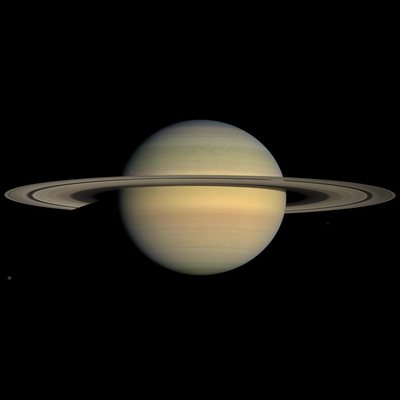
Venus, Jupiter and Saturn will show up as bright points, and a short night-mode exposure beside a crescent Moon makes a lovely picture. Most phones can record the brighter stars of a constellation from a garden in town. From a dark sky place in late summer, a thirty-second exposure will show the Milky Way arching overhead through Cygnus. From Britain, its brightest central region stays low in the south, so find a site with an open southern horizon.
Star trails and the aurora
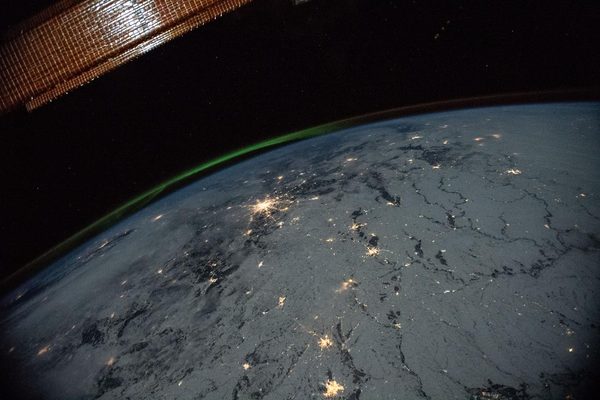
Several apps will take hundreds of exposures over an hour and stack them, turning the stars into circles around the Pole Star as Earth turns. And if an aurora alert comes in, your phone will often show green and red where your eyes see only a pale glow. There is more on that in our post on seeing the northern lights from Britain.
The most famous photograph of all
The picture at the top of this page, Earthrise, was taken by Bill Anders on Christmas Eve 1968, through the window of Apollo 8, on a Hasselblad camera loaded with 70 mm film. He had seconds to catch it, and no chance of a second try. Your phone gives you as many attempts as the night allows.
← All posts · Back to the orrery